Controlled removal workflow
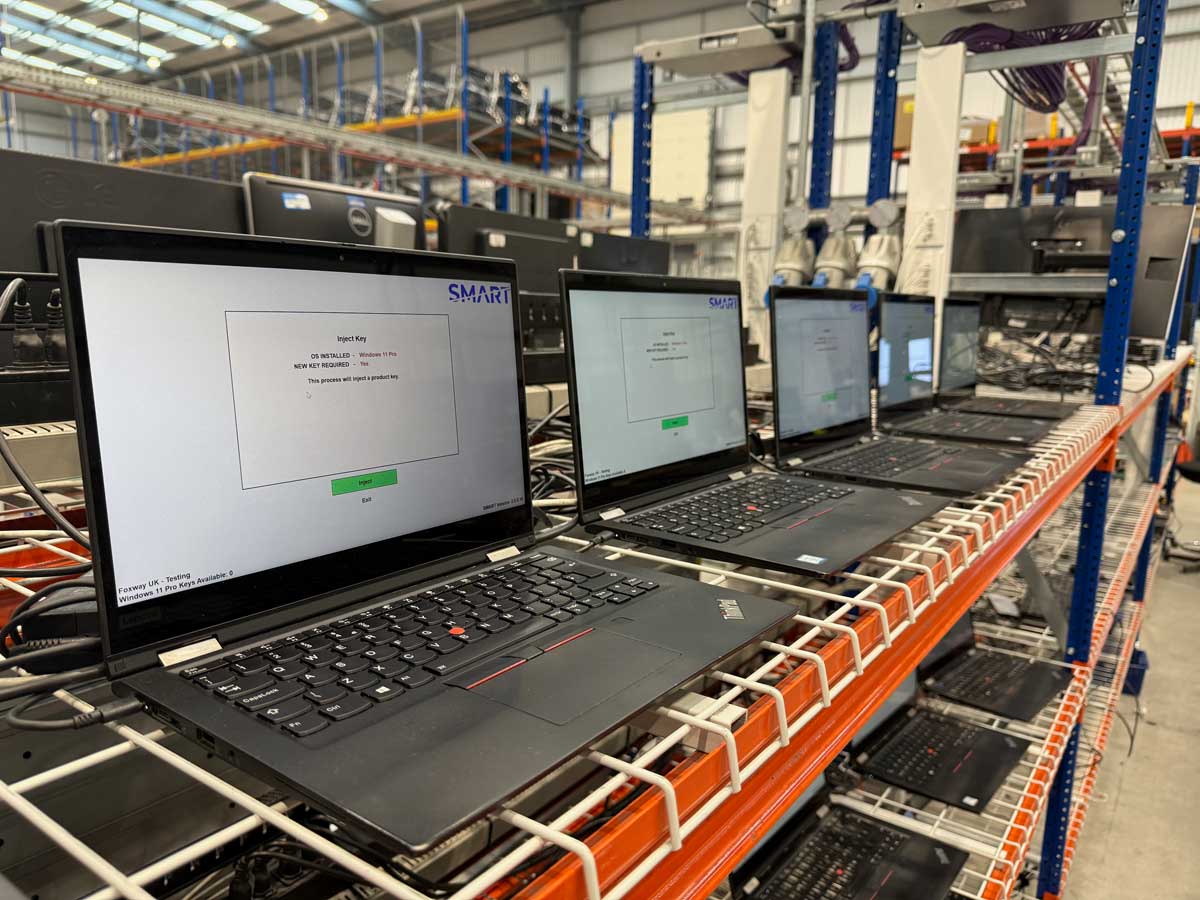
SMART guides the correct licence injection and reset sequence so the device is processed consistently during refurbishment.

Windows Autopilot removal
SMART helps refurbishers follow the correct licence injection and reset sequence, complete activation and prepare Windows devices for resale.
Built for refurbishers
SMART guides the correct licence injection and reset sequence so the device is processed consistently during refurbishment.
If Windows has already downloaded an Autopilot profile to the device, the SMART Client warns the technician.
* No warning does not mean that the device has no cloud-side lock.
Once the key status changes to Activation Enabled, technicians have the opportunity to check that any locally cached profile has been purged before the device is shipped.
The problem, explained
How it works
SMART is designed to sit inside the Windows refurbishment process—not as a separate manual check at the end.
Install Windows and enter Audit Mode immediately, reducing the chance of an Autopilot profile being downloaded and cached locally.
Run SMART to inject a genuine licence. When its key status changes to Activation Enabled, technicians have the opportunity to confirm that any locally cached profile has been purged. If Windows has already pulled down a profile, the SMART Client displays a warning.
After activation is enabled, the device can be shut down. Many refurbishers then perform an online boot during QC or shipping so Windows can receive the updated status and purge any locally cached profile before the device reaches the customer.
Frequently asked questions
Yes. SMART supports professional refurbishers operating through the Microsoft Authorised Refurbisher programme. It ensures the required licensing and reset workflow is followed when hardware is prepared for a new end user.
Not fully. A reset can remove local profile files, but it does not by itself remove the enrolment held in Microsoft’s cloud. The device can re-enrol when it next connects to the internet.
Microsoft’s cloud-side update and the removal of a profile already cached by Windows are separate events. If the machine is later booted offline, the cached profile can still appear. An online boot during QC or shipping allows Windows to receive the updated status and purge that local profile.
The cleanest option is for the previous owner to remove the device from their tenant, although that is often impractical for bulk purchases. Installing a non-Pro Windows edition can suppress the prompt but does not remove the record. Processing and relicensing the device correctly through SMART provides a refurbishment workflow designed for legitimate resale.
No. SMART is specifically for Windows Autopilot and Intune enrolment scenarios. It does not remove BIOS locks, third-party MDM enrolment or other security controls.
No. SMART does not query Microsoft’s cloud to determine whether a device is enrolled. It manages the correct licence injection and activation workflow. The SMART Client can only warn when Windows has already downloaded an Autopilot profile to the local device.
The warning means Windows has already downloaded a local Autopilot profile. It is not a proactive check of the device’s enrolment status. If no warning appears, the device could still be enrolled in Autopilot but may not yet have downloaded its profile.
If a correctly licensed and processed device still presents an Autopilot enrolment issue after Microsoft’s processing period, contact the SMART support team.
Ready to reduce Autopilot returns?