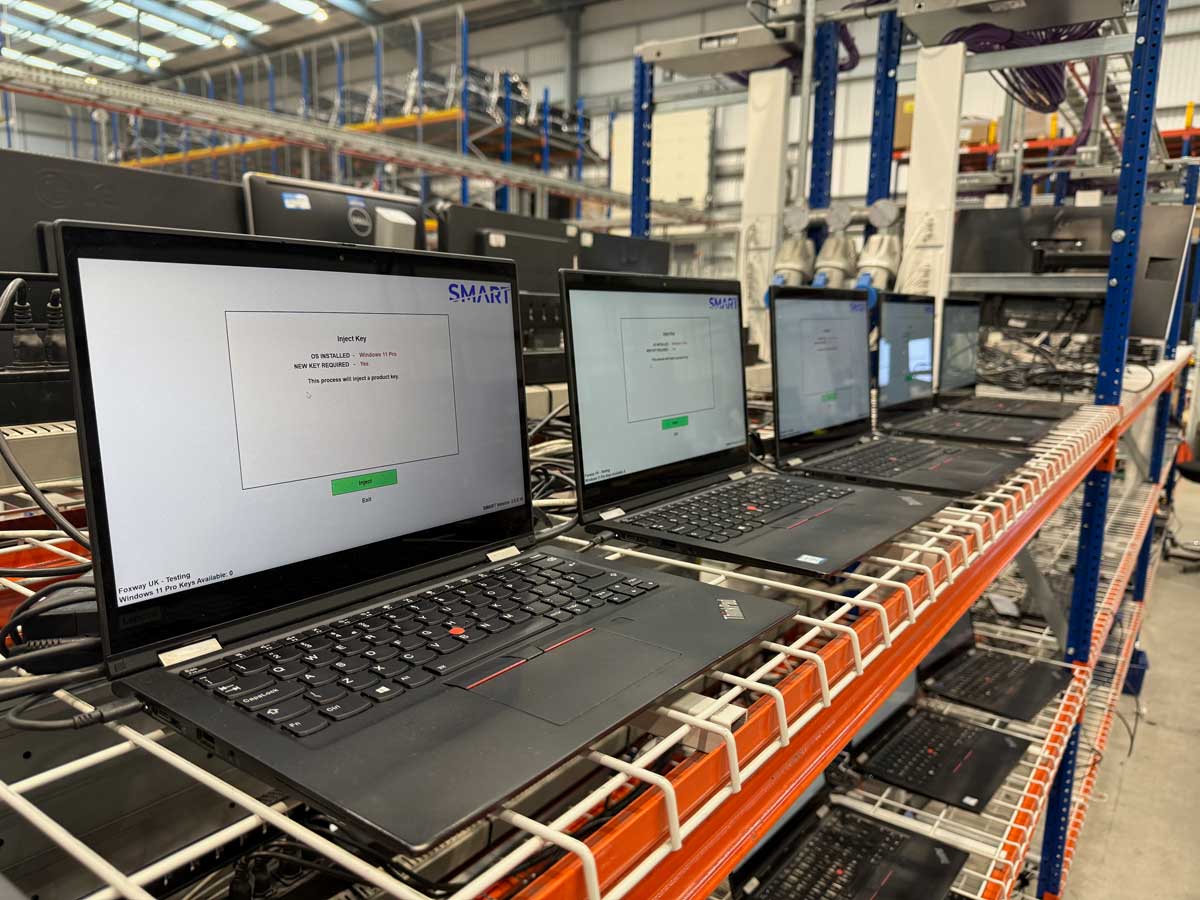
Autopilot Lock Removal
SMART prevents Autopilot return issues and ensures locks are properly cleared during refurbishment.
Why Refurbishers Use SMART for Autopilot Removal
CONTROLLED REMOVAL WORKFLOW
SMART enforces the correct licence injection and reset sequence to ensure Autopilot enrolment is cleared properly during refurbishment.
LOCAL PROFILE WARNINGS
SMART checks for local Autopilot profile files and alerts users before a device is sold, reducing the risk of returns.
FEWER RETURNS. LESS RISK.
By preventing premature shutdown and cached profile issues, SMART helps reduce costly returns and potential data exposure concerns.
The Invisible Lock - Why It’s Costing Refurbishers Thousands
How It Works
Install Windows
Install Windows and immediately enter Audit Mode. This reduces the risk of an Autopilot profile being pulled down and cached locally.
Inject License
Run the SMART executable to inject a genuine licence. SMART will warn you if a profile has been pulled down to the device.
Autopilot Removed
Once injection is complete, ensure SysPrep is run through SMART to get back to OOBE. Within 24 hours the lock will be removed.
Autopilot Removal FAQ
Is this process legitimate?
Yes.
SMART operates under the Microsoft Authorised Refurbisher (MAR) programme, which is specifically designed for professional refurbishers preparing devices for legitimate resale.
Relicensing a device through the MAR programme recognises that the hardware is being prepared for a new end user. As part of this compliant refurbishment process, Autopilot enrolment is cleared ready to be sold.
SMART ensures the correct licensing and reset workflow is followed in line with Microsoft’s refurbishment framework.
Will a factory reset remove the lock?
Not fully.
A factory reset may remove local Autopilot profile files from the device, but the enrolment still exists in Microsoft’s cloud.
As soon as the device connects to the internet, it can re-enrol and display “This device is managed by your organisation”.
A reset alone does not remove cloud-based Autopilot enrolment.
Why does the lock still show after using SMART?
There can be a short delay between licence injection and Microsoft clearing the enrolment in the background.
If the device is shut down too quickly and later booted offline, a locally cached profile may still trigger the “managed by your organisation” message temporarily.
Completing the reset and reinstall process, and allowing the device to fully process online, ensures the lock is cleared correctly.
SMART will warn you if a local Autopilot profile is cached on the device.
What other options do I have to remove Autopilot?
There are generally four options:
Contact the previous owner and request they remove the device from their tenant.
This is the cleanest method, but often not feasible when devices are bought in bulk or through brokers.
Install a non-Pro edition of Windows.
This can suppress the enrolment prompt, but it does not remove the Autopilot record. If Windows Pro is reinstalled later, the lock will return.
Scrap the device.
This avoids the issue entirely but is not commercially or environmentally sustainable.
Licence and process the device correctly using SMART.
This clears Autopilot enrolment as part of the proper refurbishment workflow and prepares the device for compliant resale.
Can SMART also remove other remotely managed locks?
No.
SMART is designed specifically to handle Windows Autopilot and Intune enrolment scenarios where devices are registered to a Microsoft tenant.
It does not remove other types of remote management, BIOS locks, MDM systems outside Microsoft, or third-party security controls.
Does SMART check Microsoft’s cloud to see if a device is enrolled?
No. SMART does not query Microsoft’s cloud directly.
Instead, SMART focuses on ensuring the correct licence injection and reset workflow is followed, and checks for local Autopilot profile files on the device.
Cloud enrolment status is cleared as part of the proper refurbishment process.
What does SMART actually detect?
SMART checks for local Autopilot profile artefacts stored on the device.
If these files are present, SMART warns the engineer so they can complete the reset and reinstall process before releasing the device.
Why can the lock still appear even after removal?
There can be a delay between licence injection and Microsoft fully clearing the enrolment in the background.
If a device is shut down too quickly and booted offline, a locally cached profile may still trigger the “managed by your organisation” message temporarily.
SMART helps prevent this by enforcing the correct workflow and warning technicians before shutting down the device after injecting a license.
Does SMART guarantee Autopilot removal?
Yes. By injecting a license we guarantee this will be purged, as confirmed by Microsoft. Should there be any issues you can reach out to our support team.
Need to remove Autopilot?
SMART is your all encompassing solution to digital key injection. Create an account and explore our Free Pay as you Go plan today.